
Wizard: Table
Wizard walkthrough · Core Studio 3.0 · Verified 2026-09-01
When to use it: you’re adding a custom table and want fields, EDTs, field groups, and a primary index scaffolded in one pass — pattern-conformant from birth, not hand-written AxTable XML.
Size: L (the framework’s reference implementation) · Automatable: fully.
Prerequisites
- An open AOT root with the metadata index at tier ≥2 (your models parsed) — the field and EDT pickers read from the index.
- A target custom model (Microsoft models are read-only).
- Know your table group up front — it drives downstream behavior.
Steps
- Basics — name (live identifier validation: regex, 40-char cap, reserved words), model/module (active-model lock). The name is checked against the metadata index for collisions as you type.
- Table properties — label, table group (Miscellaneous / Transaction / TransactionHeader / TransactionLine / WorksheetHeader / WorksheetLine / Main / Group / Parameter / Reference / Staging), cache lookup, save-data-per-company.
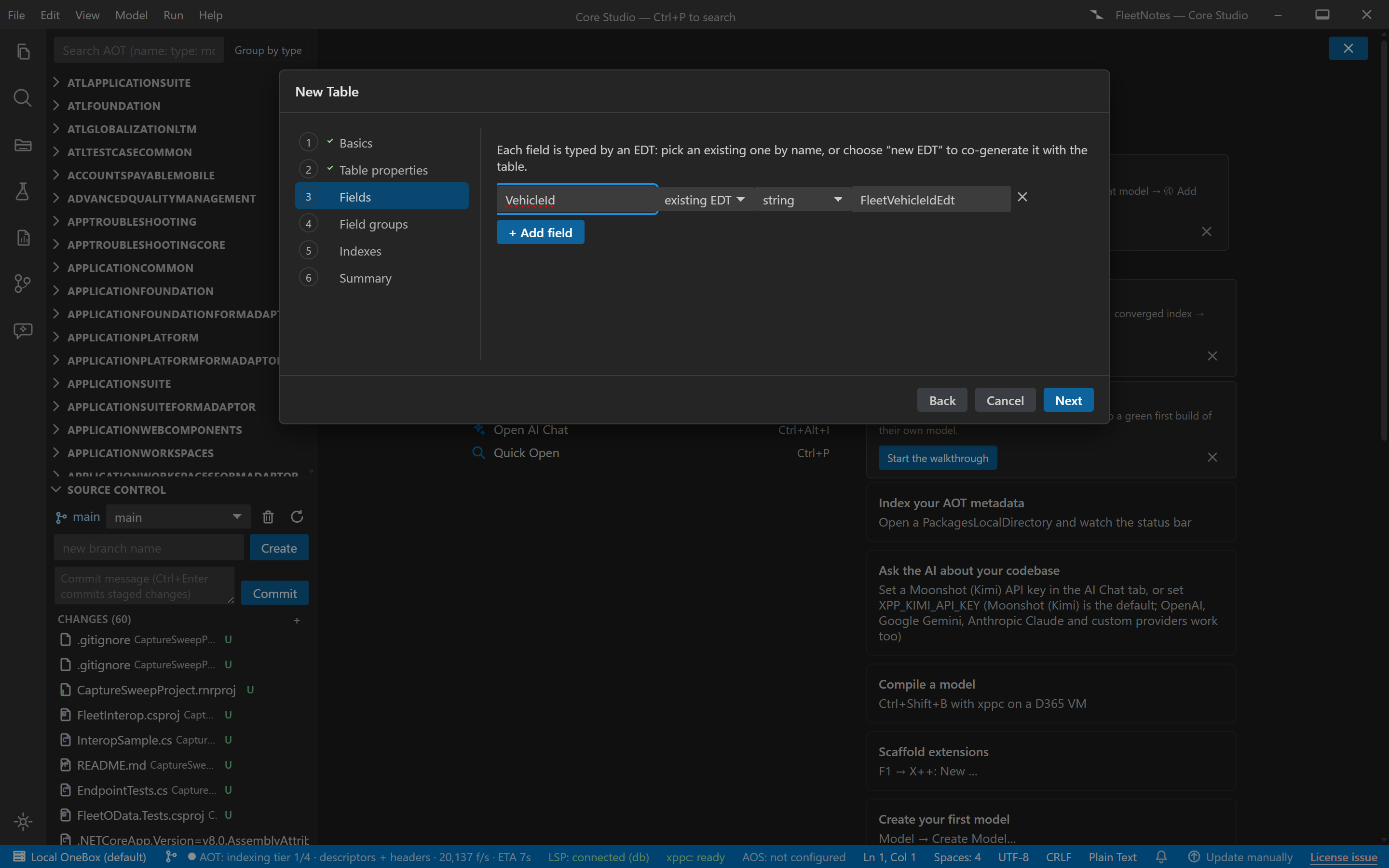
- Fields — table editor: name + EDT. Pick an existing EDT from the index, or create a new EDT, which enqueues a co-generated AxEdt via the EDT wizard’s builder (string size prompted for new strings).
- Field groups — AutoReport / AutoLookup defaults from the picked fields.
- Indexes — primary index on the key field(s), unique toggle.
- Summary — the full file list (AxTable + N×AxEdt), preview panes, then commit — atomically, all files at once.
Output anatomy
AxTable/<YourTable>.xml— the table model (fields, groups, indexes).AxEdt/<NewEdt>.xml— one per co-generated EDT, landing in the same model.- Both under
<root>/<Model>/<Module>/, re-indexed immediately after commit.
Verify it worked
- The generated table re-reads losslessly and matches the shape of Microsoft’s own tables.
- On-VM build: compiles 0 errors / 0 warnings with no hand-fix.
- The table is immediately usable as a Form wizard data source without edits.
If it goes wrong
- Commit refused with “file already exists” — deliberate: the wizard never silently overwrites. Rename or remove the conflicting file.
- “Index unavailable — name collision not checked” — the duplicate check degraded (missing/locked index DB); the on-disk check still protects you.
- Relations / TableReferences missing — by design: those stay in the designer post-create. The summary lists what was intentionally left out.
Next: Form wizard to give the table a UI, or the first customization tutorial.