
Studio Features
The complete Core Studio feature system.
Understand the application, edit X++, run the Microsoft toolchain, test changes, package releases, and use AI under explicit control.
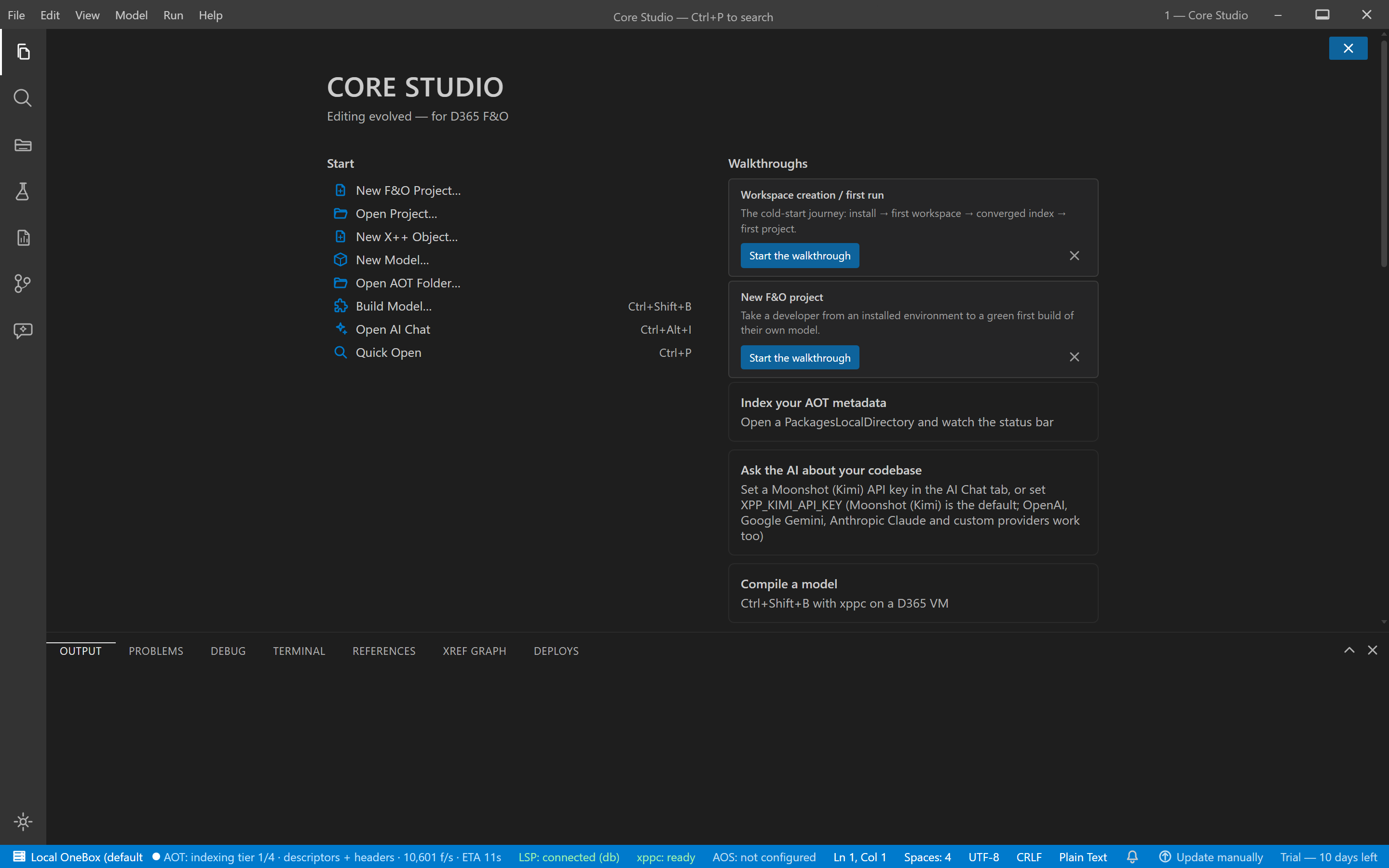
- The AOT explorer tree, browsable while indexing continues
- Status bar: indexing tiers in progress, partial results flagged
Core Studio 2.0.0 (signed) · estate rig · captured 2026-09-04
Understand
Workspace-wide index
The application catalog is indexed in tiers so navigation, search, and AI tools answer from the real metadata.
Open a root; the index builds in tiers with partial results flagged while deeper tiers complete.
Global source search
Ranked search across names and source text with snippets, filters by name, type, model, and property.
Query by name or code text; results carry snippets and model scope.
Environment profiles
Switch AOT roots between environments with per-profile state preserved.
Define profiles for local editing, OneBox, UDE, or CI roots.
Build
X++ editor and diagnostics
Edit X++ with diagnostics as you type, hover information, and cross-model navigation.
Open a class; diagnostics and hover resolve against the indexed metadata.
Guided creation wizards
Scaffold tables, forms, classes, and more through extension-first wizards with review before build.
Pick a wizard, answer the steps, review the generated artifacts, then build.
Build, sync, package, release
Run the Microsoft toolchain stages — compile, database sync, deployable package — from one visible pipeline.
Start a build; each stage streams its output and stops on failure.
Test workflows
Run supported .NET and X++ SysTest workflows with one result model, history, and failed-test navigation.
Discover tests, run them, jump from a failure to its source.
Report design
Edit SSRS report structure and layout with the rendering boundary stated: real data rendering happens against the target environment.
Open a report, edit its structure on the canvas, deploy and execute for rendering.
Govern
Governed AI assistant
AI tools read indexed code and metadata, propose changes, and route mutating operations through an approval gate.
Ask for a change; mutating actions stop at a human review with a full preview.
Source control
Stage, commit, and inspect changes in the built-in Git panel.
Changed files group by status; stage and commit in place.
Extend
C# companion projects
Build net48 interop libraries, net8 OData clients, and Azure Functions beside the F&O model.
Add a companion project; build, test, and debug it with the X++ workspace.
Supported environments.
The support matrix renders from the Engineering-approved registry; where a row is pending approval it does not appear.
| Scope | Topology | D365 versions | Limitations |
|---|---|---|---|
| ci | ci | 10.0.x | the certified pipeline targets a onebox runner; no SaaS-hosted runner support is certified |
| local-editing | local-editing | 10.0.x | build, deploy, debug and test require a onebox or UDE target |
| offline | offline | 10.0.x | managed AI and credit surfaces require the network (the server-truth law); offline shows cached values stale-stamped and the managed lane degrades typed |
| onebox | onebox | 10.0.x (CHE onebox estate class; assembly base stamp 10.0.0.0 — the precise platform-update number is environment-defined, not product-claimed) | no live SSRS data preview (the P-6 wall: the render POST needs an AAD-session token that cannot be minted headless; deploy+execute is the honest fallback); no UDE/SaaS debugging (C-11 topology bound: CHE/onebox only; the typed-unavailable assertion is registered and executes when the UDE testbed lands); the update feed is in provisioning (www.coreerp.dev/updates — Option C ruled; production auto-update is not yet claimed; artifacts are unsigned pending the AZURE triple); C# companion debugging is net8-only (net48 debugging is NO-GO; a net48 library inside a net8 host debugs fully) |
| ude | ude | 10.0.x (no UDE testbed provisioned by Microsoft as of 2026-09-02) | the UDE testbed is not provisioned by Microsoft (P-5) — the acceptance suite is authored but unexecuted; item 8b (Deploy/ALM Stage 2) is testbed-gated; no UDE debugging claim — the typed-unavailable assertion is registered in the dbg4-vm battery (the L6 leg) and executes when the testbed lands |
The versioned support matrix is finalized with Engineering and publishes when approved. Environment prerequisites are documented in Environment & setup.
Canonical documentation.
Every feature links to its canonical documentation: Documentation home · Getting started · First customization tutorial