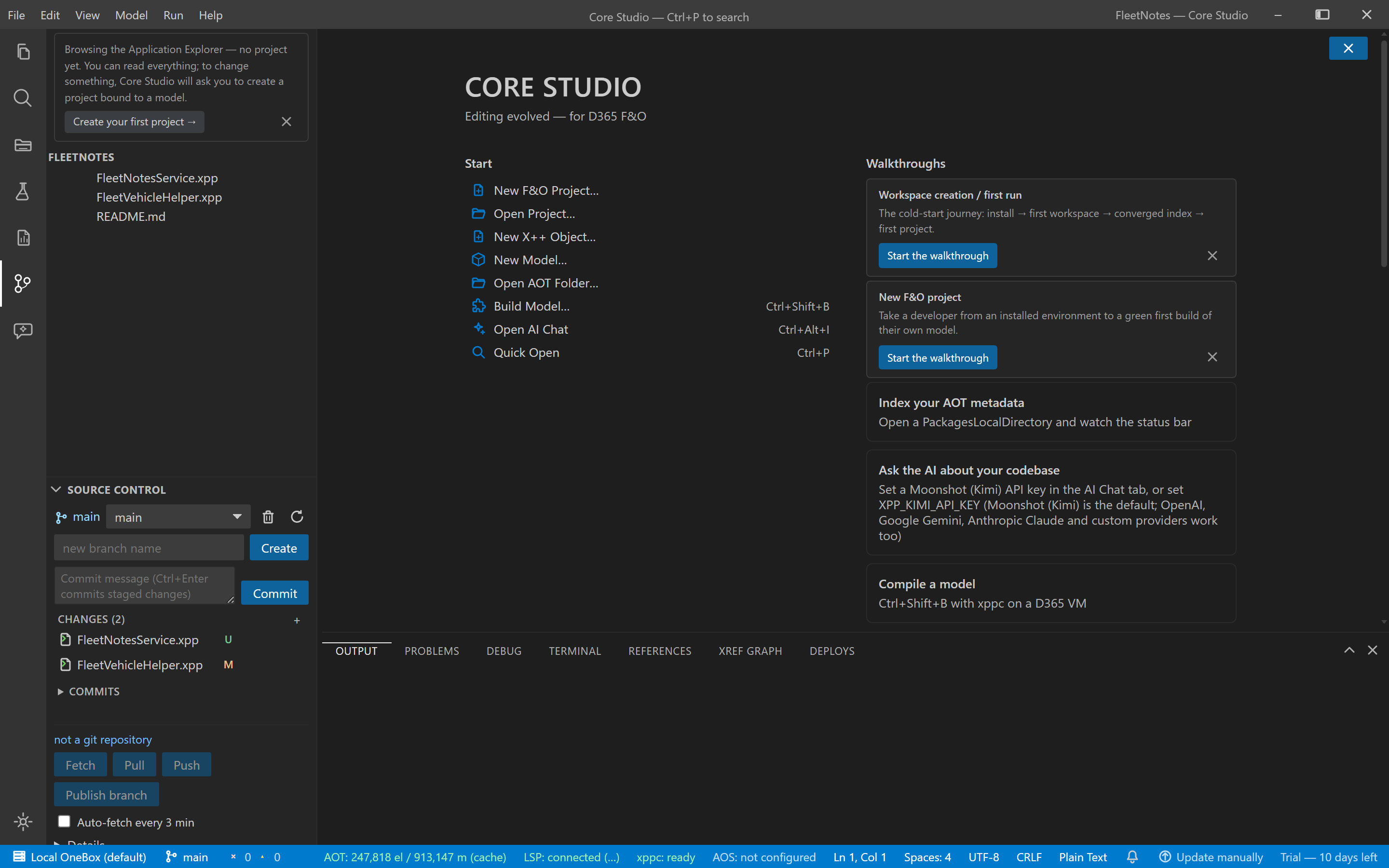
Git panel
Guide · Core Studio 3.0 · Verified 2026-09-01
The Source Control section at the bottom of the sidebar works against the git repository containing the AOT root (pure JS — no git.exe needed):
- Changed-files status (modified / added / deleted / untracked)
- Stage-all + commit (author
CORE Studio <studio@local>) - Branch list / switch / create
- 20-commit log
A root that isn’t inside a git repo shows a plain “not a repository” state.
Verify it worked
- Your change appears in the changed-files groups; after stage + commit, it shows in the 20-commit log.
- Switching branches updates the working tree; creating a branch is immediate.
If it goes wrong
- “Not a repository” state — the AOT root isn’t inside a git repo; initialize one externally (the panel deliberately doesn’t).
- Need to push or pull — use the terminal; the panel never touches remotes by design.