
Wizard: Menu + menu items
Wizard walkthrough · Core Studio 3.0 · Verified 2026-09-01
When to use it: your form, class, or report needs a menu item, and the item needs a home — an existing custom menu or a new one.
Size: M · Automatable: fully.
Prerequisites
- The target object exists (form / class / report).
- If attaching to an existing menu: it must be in a writable model (your active/custom models) — Microsoft menus are never edited (see below).
Steps
- Item kind — Display (form picker from index) / Action (class picker) / Output (report or SSRS name).
- Basics — name defaults to the object name; label defaults from the object’s label.
- Properties — ObjectType/Object fixed from step 1; resource flags at their verified minimal defaults.
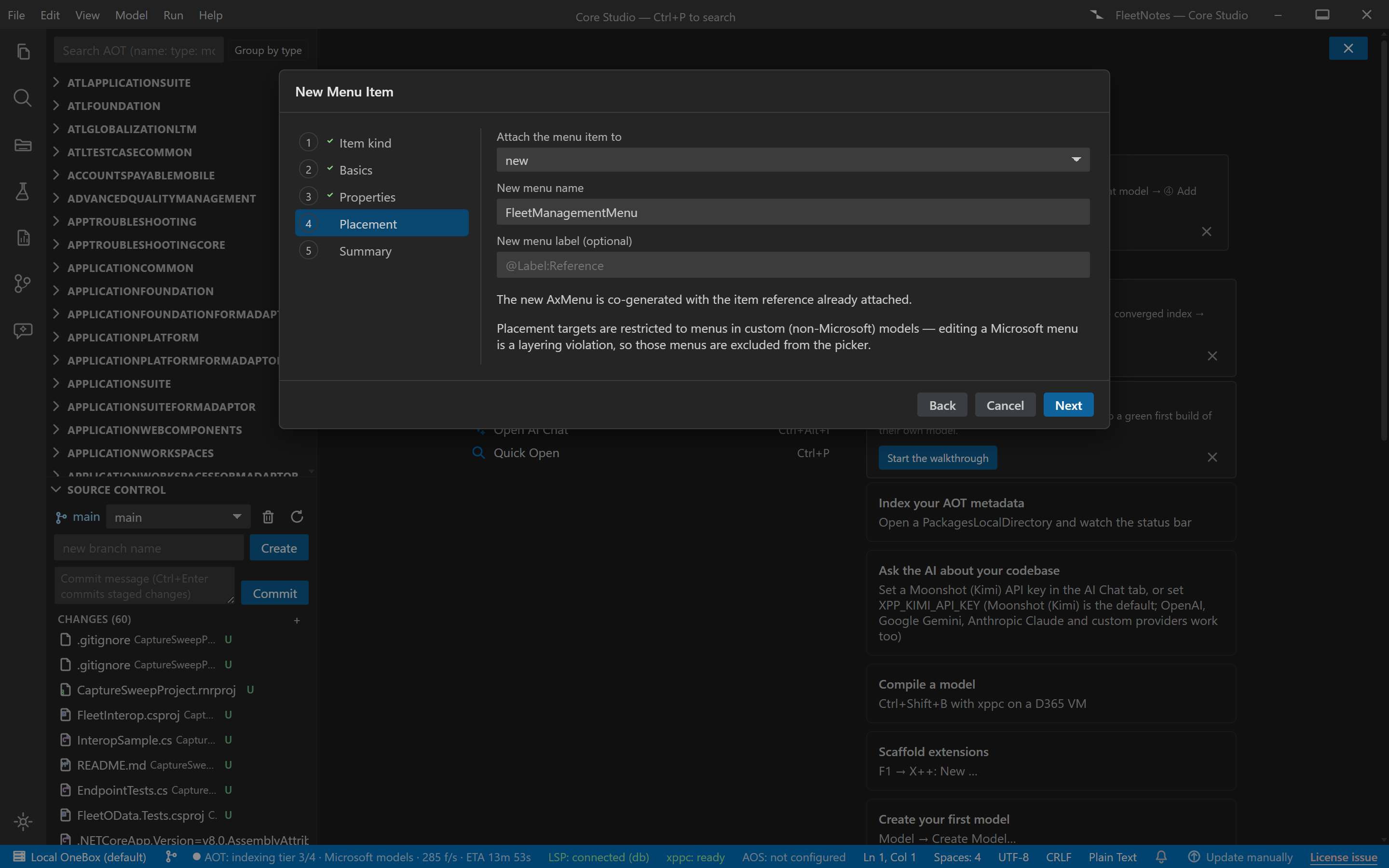
- Placement — pick an existing menu from the index (AxMenu list, submenu path), or co-generate a new AxMenu.
- Summary — AxMenuItem* [+ AxMenu], preview, commit.
Output anatomy
AxMenuItemDisplay|Action|Output/<YourItem>.xml— the menu item.AxMenu/<YourMenu>.xml— if a new menu was co-generated.- Attach-to-existing uses the raw-merge writer — the one wizard that edits a pre-existing file. The host menu is merged losslessly (never-drop); the overwrite guard is exempted for this case only, gated by the raw-merge fidelity test.
Verify it worked
- The generated item matches the minimal verified shape (ObjectType/Object set, resource flags at 0).
- The host menu round-trips losslessly after attach.
- On-VM: the menu item appears and launches your form/class/report.
If it goes wrong
- Your menu isn’t in the picker — it’s in a Microsoft model (restricted) or the index hasn’t parsed it; use a custom menu or the designer’s extension route.
- Duplicate attach refused — idempotency law: the item is already there.
Next: Form wizard for the object behind a Display item, List Page wizard for the full navigation flow.