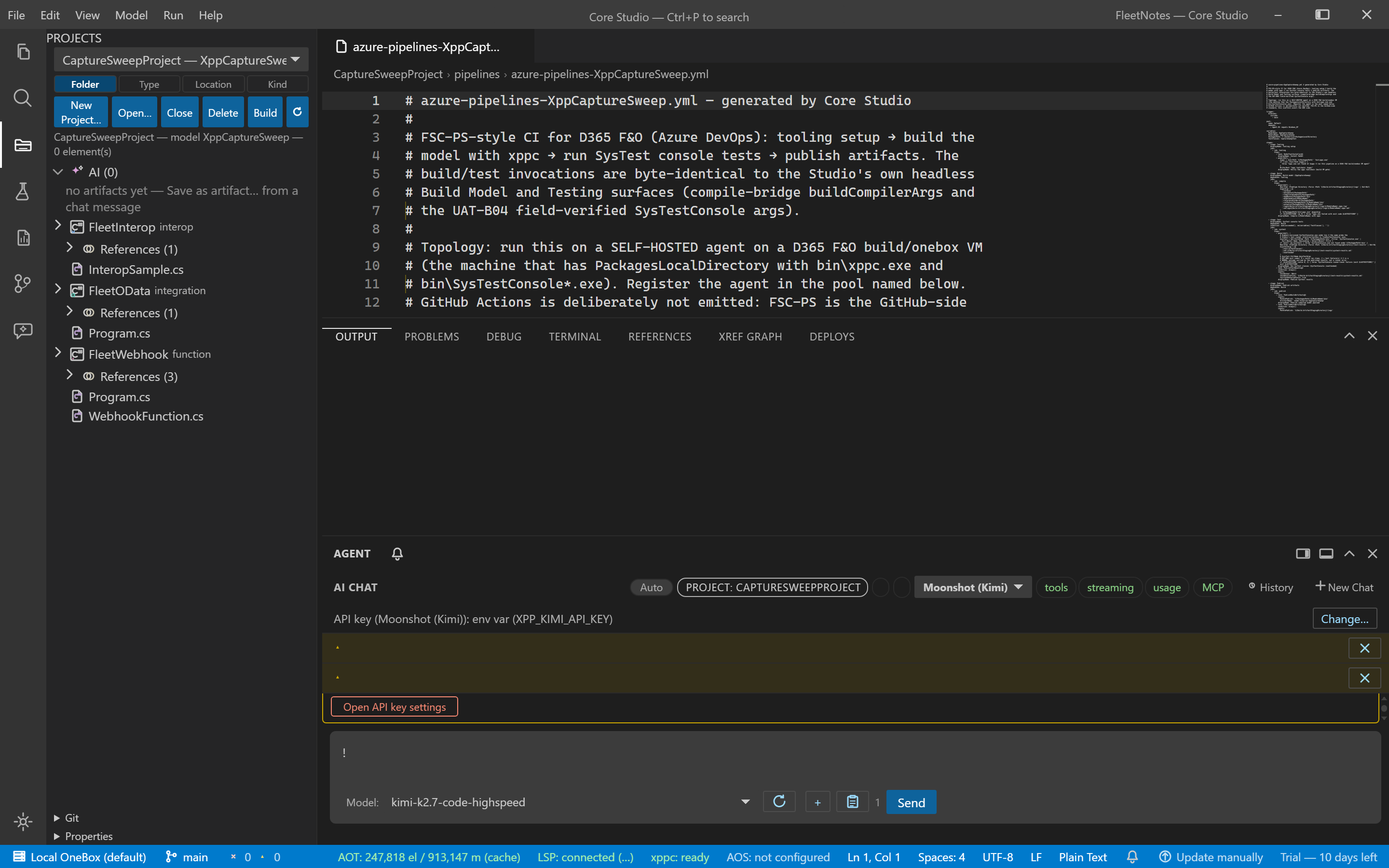
CI pipeline scaffolding
Guide · Core Studio 3.0 · OneBox / CI · Verified 2026-09-01
File → Generate CI Pipeline… (or the Projects pane background context row) scaffolds an Azure DevOps pipeline for a model:
| Stage | What runs |
|---|---|
| Tooling | NuGet + an xppc toolchain gate |
| Build | xppc compile of the module — the same flag set as Build Model |
| SysTest | SysTestConsole headless run + NUnit result publish — the field-verified /test:… /xml:… /unattended shape |
| Publish | Compiled model payload + xppc logs as pipeline artifacts |
Because the pipeline’s build and test command lines are the Studio’s own headless invocations, a green in-IDE build/test run and a green pipeline mean the same thing.
Facts and boundaries
- Targets a self-hosted agent on the D365 build/onebox VM (the machine with
PackagesLocalDirectory); register the agent in the pool named in the modal. GitHub Actions is deliberately not emitted (FSC-PS itself is the GitHub-side standard). - With no SysTest classes listed, the Test stage is emitted but skips until
the pipeline’s
TestClassesvariable is filled in Azure DevOps. - The YAML lands in
pipelines\azure-pipelines-<model>.ymlunder the active project, never overwrites an existing file (-2suffix on collision), and opens in an editor tab.
Verify it worked
- The generated YAML opens in an editor tab with all four stages (Tooling → Build → SysTest → Publish).
- The file lands in
pipelines\azure-pipelines-<model>.ymland never overwrote an existing file (-2suffix on collision).
If it goes wrong
- Test stage skips — expected until
TestClassesis filled in Azure DevOps; the stage is emitted but dormant by design.