
Wizard: Form
Wizard walkthrough · Core Studio 3.0 · Verified 2026-09-01
When to use it: you have a table (custom or Microsoft) and need a form that is conformant to its pattern from birth — Dialog, ListPage, DetailsMaster, or a plain pattern-free start.
Size: L · Automatable: fully (scaffold is complete; real layout continues in the designer).
Prerequisites
- Metadata index at tier ≥2 (tier ≥3 if your data sources are Microsoft tables).
- A target custom model; the table(s) you bind should exist (or scaffold them first with the Table wizard).
Steps
- Basics — name (validated live, collision-checked), model/module.
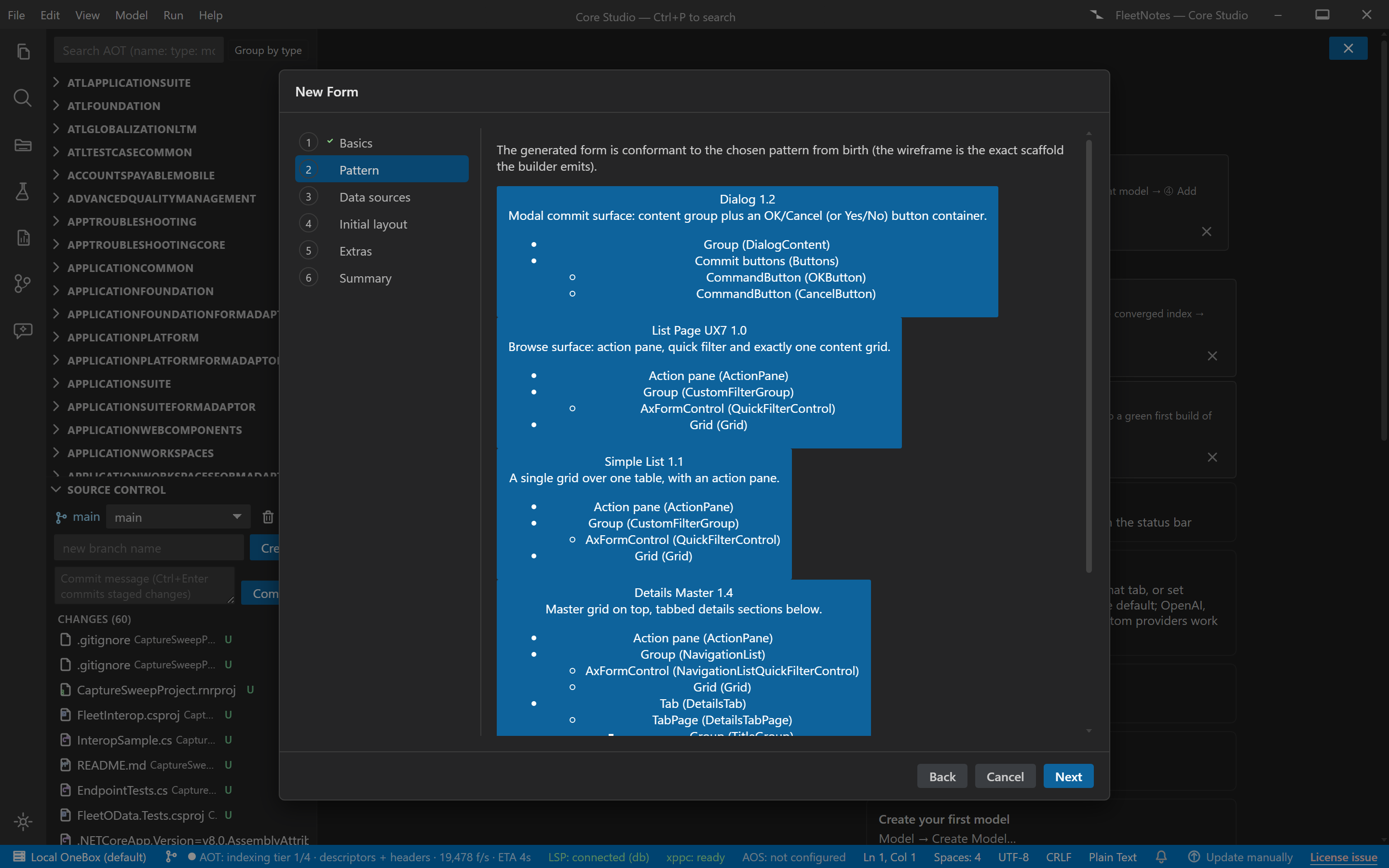
- Pattern — picker over six pattern cards: display name, version, one-line structural description, and a live wireframe built from the pattern’s minimal scaffold. “No pattern” is an explicit option.
- Data sources — index-backed table picker, multi-add; the primary source defaults the form caption from the table label.
- Initial layout — pattern-derived scaffold preview + per-pattern options (grid on/off where optional, quick filter, details tab name, dialog button set OK/Cancel vs Yes/No).
- Extras — display menu item checkbox (name defaults to the form name),
form
classDeclarationbody (defaultextends FormRun). - Summary — files (AxForm [+ AxMenuItemDisplay]), preview panes, a conformance report, and your open-in choice (designer by default).
Output anatomy
AxForm/<YourForm>.xml— the form tree in canonical element order.AxMenuItemDisplay/<YourForm>.xml— if the menu-item extra was checked.- Both under
<root>/<Model>/<Module>/, re-indexed and opened.
Verify it worked
- The conformance report shows 0 errors before you commit.
- On-VM compile: 0/0 with no hand-fix; XML element order matches the canonical order table (structure, not luck).
If it goes wrong
- “Unable to validate pattern … not found” downstream — the tell-tale of a hand-edited pattern version; regenerate or restore the emitted version.
- Data-source picker degraded to free text — the index is stale or mid-tier; wait for convergence or type the table name and let the build verify it.
Next: Menu wizard to place it in navigation, or Dialog wizard for the parameter-dialog idiom.