
Walkthrough: Global search
Action walkthrough · Core Studio 3.0 · Verified 2026-09-01
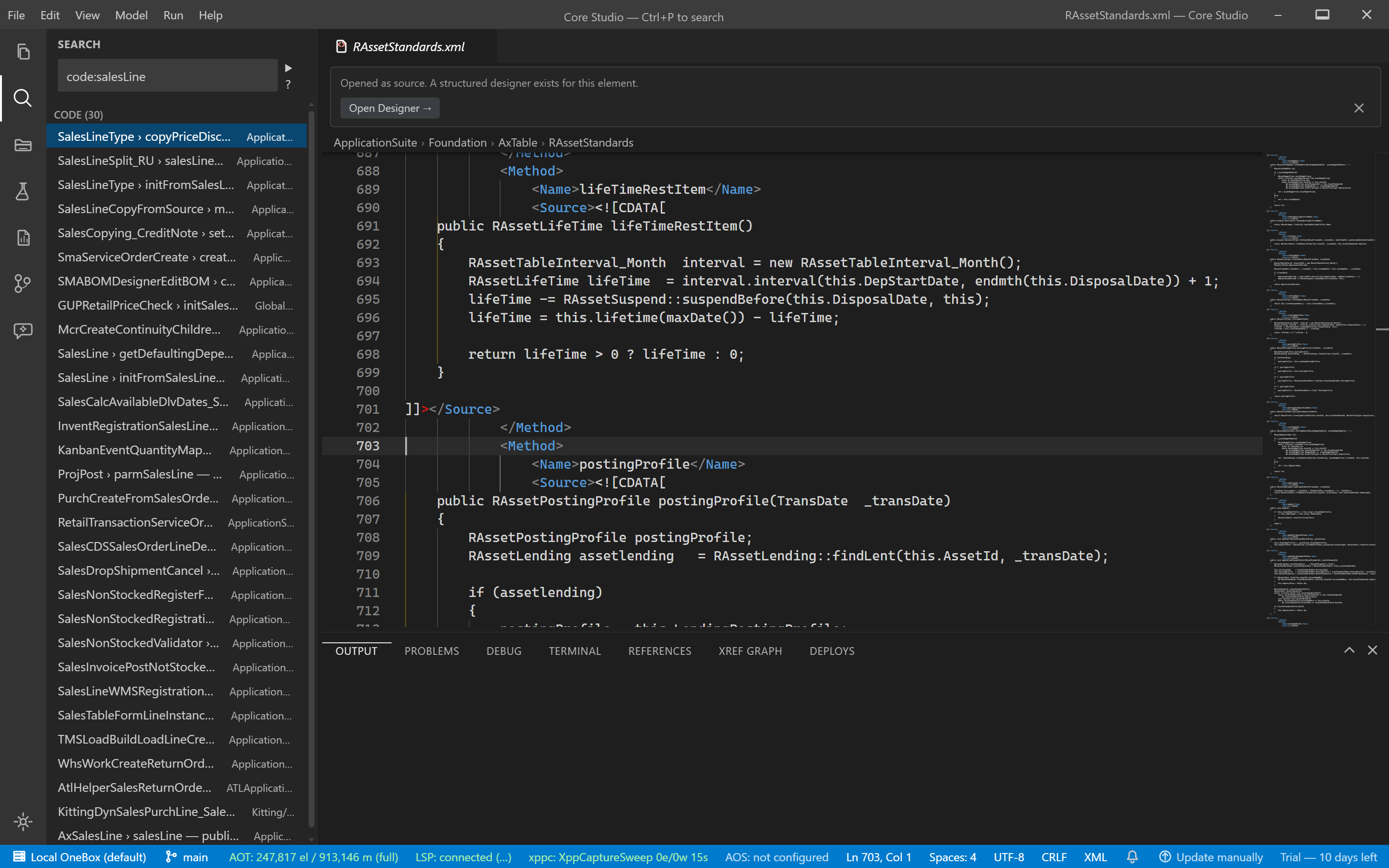
Concept: the sidebar search runs full-text search over method sources (SQLite FTS5, BM25 ranking with snippets), scoped by model — you search what the code says, not just what elements are named.
Prerequisites
- An open root. For complete results, the index must have finished its tier-4 FTS tail (the status bar shows progress; results are flagged partial until then).
Steps
- Click the sidebar search box.
- Type at least 3 characters — matches appear under “Source matches” with code snippets.
- Scope by model when the system is large.
- Open a match — you land at the source.
Verify it worked
- A known string in a known method is found, with a snippet, at its file:line.
- After
index-tier-complete, the partial marker is gone — a negative result is trustworthy.
If it goes wrong
- Elements found, no source matches — tier 4 is still running; wait for convergence before concluding anything.
- Too many results — scope by model; BM25 ranking keeps the best matches on top regardless.
Troubleshoot further: Global search guide.