
Wizard: Details form (DetailsMaster)
Wizard walkthrough · Core Studio 3.0 · Verified 2026-09-01
When to use it: you’re building the maintenance form behind a ListPage’s New/Edit — master grid on top, tabbed detail sections below (the CustTable/VendTable shape).
Size: M · Automatable: fully for the scaffold (detail-data-source links are set only where relation metadata exists — never guessed).
Prerequisites
- Master table exists; related tables for the detail sections identified.
- Index at tier ≥3 for relation-aware suggestions.
Steps
- Basics — name, model/module.
- Master table — index picker.
- Detail sections — add tabs; each tab gets a name and either a related table (from the master table’s relations) or a free group.
- Grid/header fields — pick from the master table.
- Menu item — display item, name defaults to the form name.
- Summary — files, preview, commit.
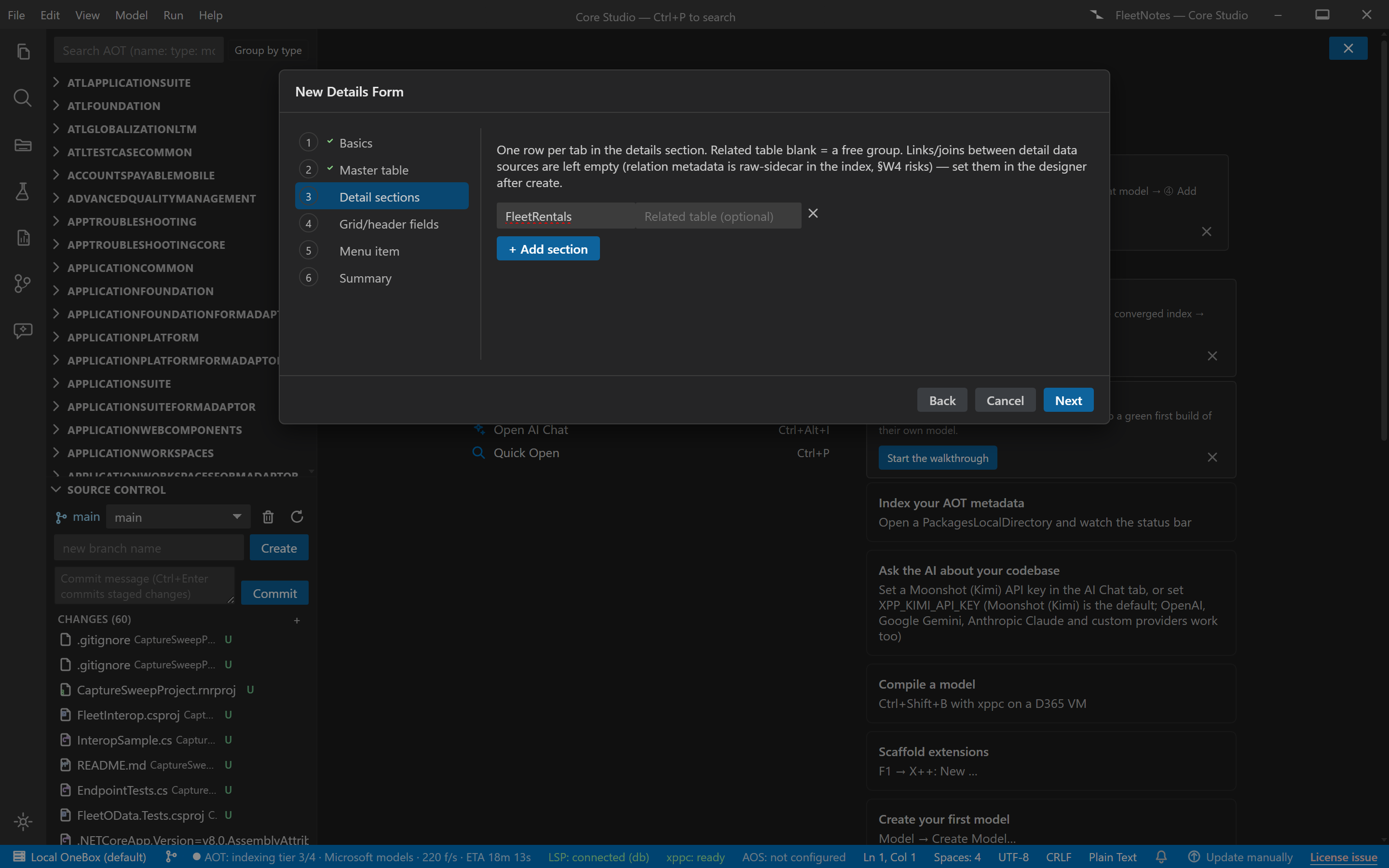
Output anatomy
AxForm/<YourForm>.xml— the DetailsMaster skeleton, every item pattern-required: ActionPane · NavigationList (hidden side panel) with the untyped quick-filter extension + read-only grid · Tab (ShowTabs=No) with the details TabPage (no Caption) and title group · inner FastTabs Tab with your detail TabPages. Grid TabPages carry the CustomFilter group, grid with default action, and the invisible DetailsView command button the pattern requires.AxMenuItemDisplay/<YourForm>.xml— the display menu item.
Verify it worked
- DetailsMaster 1.4 conformance: 0 errors.
- On-VM compile 0/0; open from the ListPage’s New/Edit and the master/detail flow works.
If it goes wrong
- Detail data sources have no links — intentional when the index doesn’t model the relation (v1 emits links only for self-relation cases); set the join in the designer — the summary told you it was left out.
- Pattern validation fails after hand edits — the skeleton’s “invisible” pieces (NavigationList, ShowTabs=No, caption-less TabPages) are all pattern-required; restore any you removed.
Next: List Page wizard for the browse surface in front, Menu wizard for placement.