
Walkthrough: Deploy pipeline
Action walkthrough · Core Studio 3.0 · Verified 2026-09-01
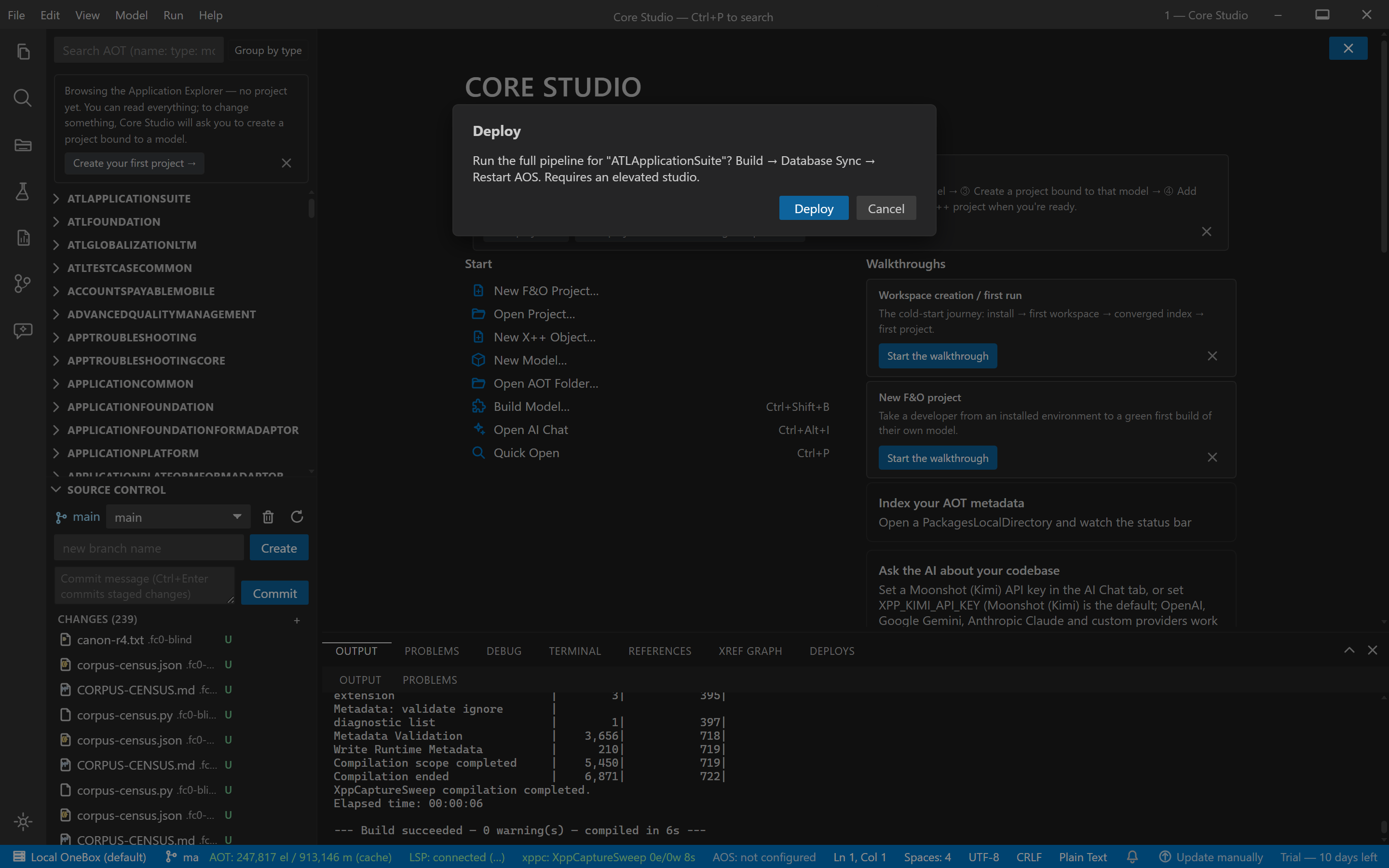
Concept: deploy is one pipeline with one confirmation — Build → DB sync → iisreset — cancellable at any stage, stop-on-fail by default. The pipeline checks its prerequisites before touching anything.
Prerequisites
- A D365 F&O VM with xppc and d365fo.tools (
Invoke-D365DbSync, auto-detected). - Administrator rights — DB sync and iisreset need elevation. The pipeline checks first and fails fast with a clear message when not elevated.
Steps
- Run the Studio as Administrator (required for the deploy stages).
- File → Deploy — review the single confirmation dialog: stages listed, stop-on-fail stated.
- Confirm — the pipeline runs Build → DB Sync → iisreset in order.
- Cancel at any point — a cancel leaves a clean, stated end state (no half-finished mystery).
Verify it worked
- Each stage reports its own outcome; the pipeline stops at the first failure instead of cascading.
- After a full run: the model compiled, the database synchronized, IIS reset — your changes are live in the environment.
If it goes wrong
- Fails immediately with an elevation message — expected; restart the Studio as Administrator. The gate is deliberate, not a bug.
- DB sync stage can’t find Invoke-D365DbSync — d365fo.tools isn’t installed/detectable on this VM; install it and re-run (the build stage’s output is already safe on disk).
Troubleshoot further: Troubleshooting & limitations.