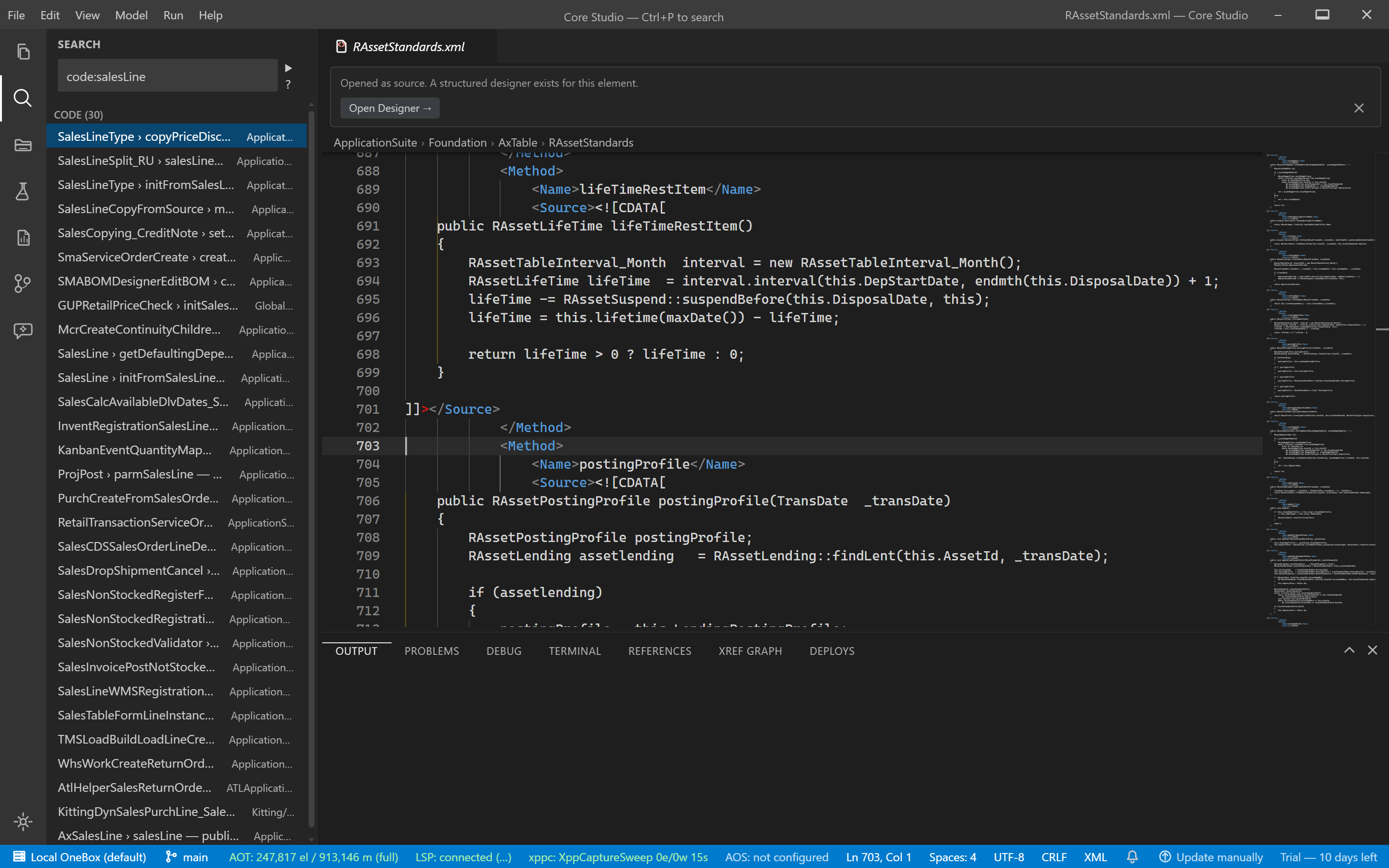
Global search
Guide · Core Studio 3.0 · Verified 2026-09-01
The sidebar search box does full-text search over method sources — SQLite FTS5, BM25 ranking with snippets — scoped by model.
- Type at least 3 characters; matches appear under “Source matches”.
- Results are marked partial while the tier-4 FTS tail is still indexing — element and method-name lookup is already complete; only source full-text matches may be missing.
- Watch
index-tier-complete(or the status bar’s AOT segment) for full convergence.
Verify it worked
- A 3+ character query returns source matches with snippets, scoped by model.
- After
index-tier-complete, the partial marker disappears — a negative result is now trustworthy.
If it goes wrong
- Elements found but no source matches — the tier-4 FTS tail is still running; wait for convergence (status bar shows progress).