
Tutorial: your first customization
Tutorial · Core Studio 3.0 · OneBox / CI · Verified 2026-09-01
Persona: X++ developer · Time: ~30 minutes · Requires: a D365 F&O onebox VM (for the build steps).
By the end you’ll have a new model containing a table, an enum, a class, a chain-of-command extension, and an event handler — compiled green and packaged for LCS.
Prerequisites
- A D365 F&O onebox VM (the build and package steps need the real toolchain).
- About 30 minutes uninterrupted — the wizard steps are quick, the first build takes a few minutes.
- Nothing else: no Visual Studio, no pre-created artifacts. If your model already exists, skip step 1.
1. Create your model
Models are created with dependency guards — the Studio refuses unsafe operations
(Microsoft models are read-only; self-references are rejected). Create yours
with references to ApplicationPlatform and ApplicationFoundation so the
standard types resolve.
2. Scaffold a table with the wizard
Right-click the model in the AOT explorer → new table wizard: fields, co-generated EDTs, and a primary index in one preview-then-commit flow. The preview you approve is exactly what gets committed — atomically, all files at once.
3. Add an enum
The enum wizard validates against the real compiler’s rules as you go — for
example, isExtensible + useEnumValue together is refused with the compiler’s
own rationale, not a generic error.
4. Write the class
Scaffold a runnable class, add your logic. Diagnostics fire as you type; the
best-practice advisor flags ecosystem rules (try a hardcoded info("…") string
to see the use-labels warning).
5. Extend with chain of command
Right-click a stock class → New X++ Object → class extension. The Studio
generates the [ExtensionOf(classStr(...))] wrapper with the _Extension
naming law and a next-calling stub — first-build-clean against the real
compiler.
6. Wire an event handler
Generate the SubscribesTo handler for your target delegate.
7. Build the model
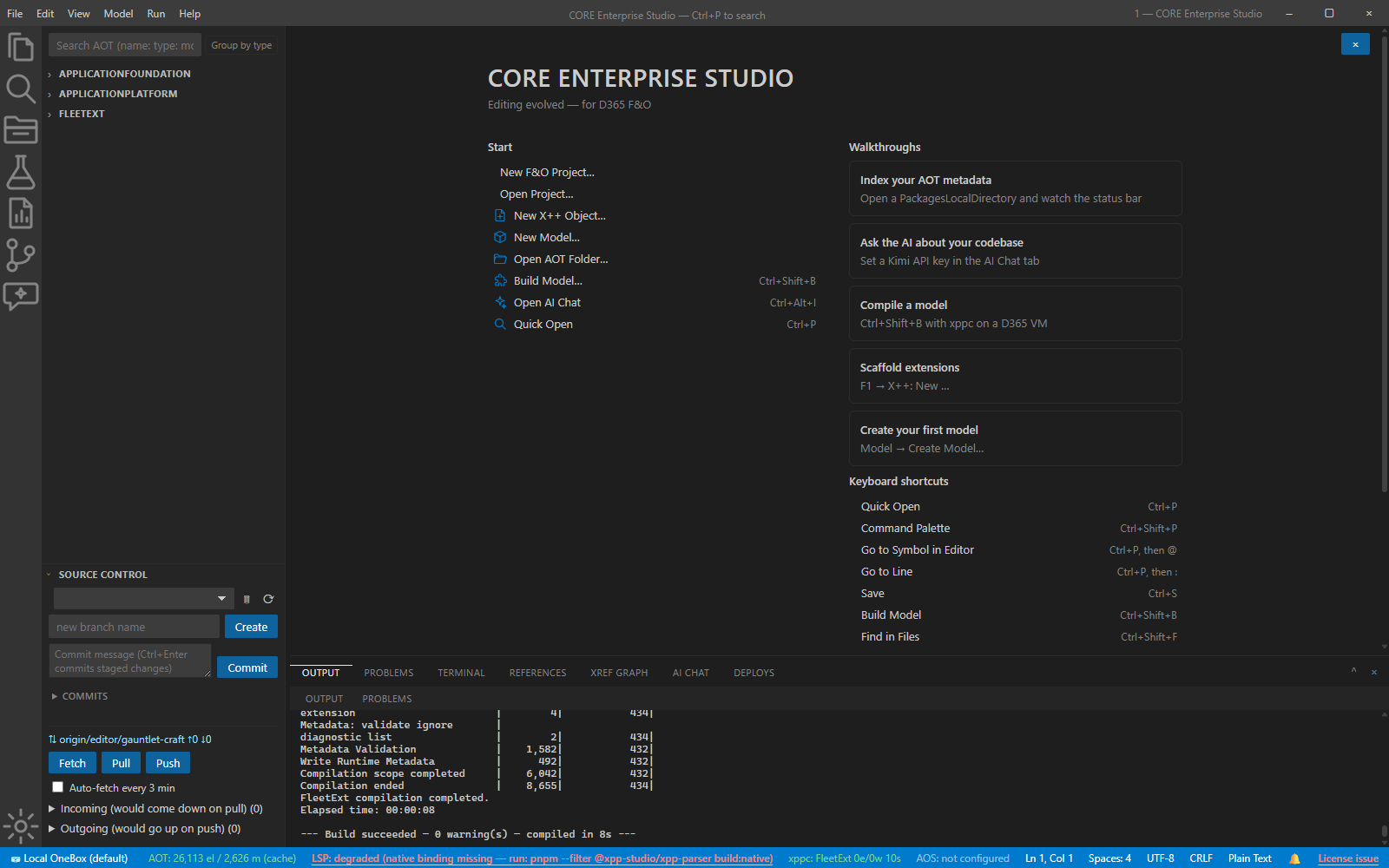
File → Build Model… (Ctrl+B). Diagnostics are clickable to file and line; environment noise is collapsed into its own group. Fix, rebuild, green.
8. Package for LCS
File → Create Deployable Package → an LCS-layout zip with structural validation. Upload it to the LCS asset library by hand.
Verify it worked
- Every scaffolded artifact exists under
<root>/<Model>/<Module>/Ax<Type>/and appears in the explorer without a rescan. - The final build ends 0 errors / 0 warnings with no hand-fixes — that is the wizard law, not luck.
- The package zip opens to the LCS layout.
If it goes wrong
- A wizard refuses your commit — collision or overwrite protection doing its job; rename or remove the conflicting artifact.
- Build fails on the event handler — the delegate gotcha, expected and taught in step 6: add the delegate, rebuild.
- Build/deploy unavailable — you’re off the VM; the typed state tells you which prerequisite is missing.