
How to: run .NET tests
How-to · Core Studio 3.0 · CI · Verified 2026-09-01
Goal: run your companions’ tests where your SysTest results already live — one Testing view, two providers, never mixed.
Prerequisites
- A companion with a test project (or tests in the companion itself).
- The .NET SDK.
Steps
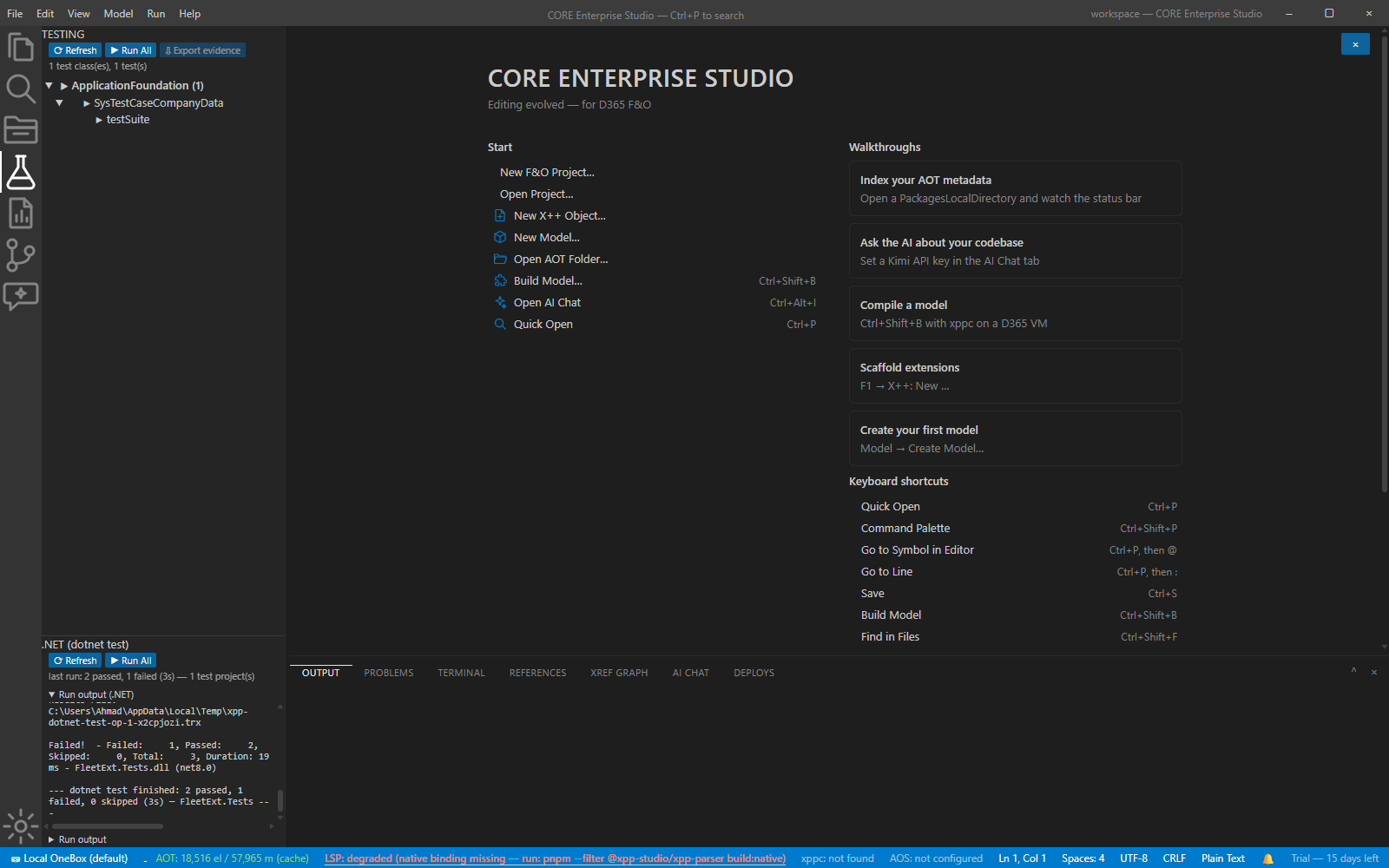
- Open the Testing view — the .NET (dotnet test) provider sits beside SysTest with the same glyphs and the same results-history shape.
- Run —
dotnet test(VSTest/TRX) executes per project. - Read the tallies — pass/fail stream honestly as results arrive.
- Click a failing row — you land at the asserted file:line.
Verify it worked
- Tallies match the TRX: a deliberately failing test appears as a failure and navigates to its assertion.
If it goes wrong
- In-IDE X++ test execution is what you actually wanted — that’s a roadmap capability, badged as such; today’s honest X++ path is the generated CI stage (headless SysTestConsole), while this page covers .NET tests.
Next: debugging · references & build.