
Build, Test, Package, and Release
Run the F&O toolchain from one visible pipeline.
Core invokes supported Microsoft build and deployment components, streams each stage, stops on failure, and preserves a reviewable result history.
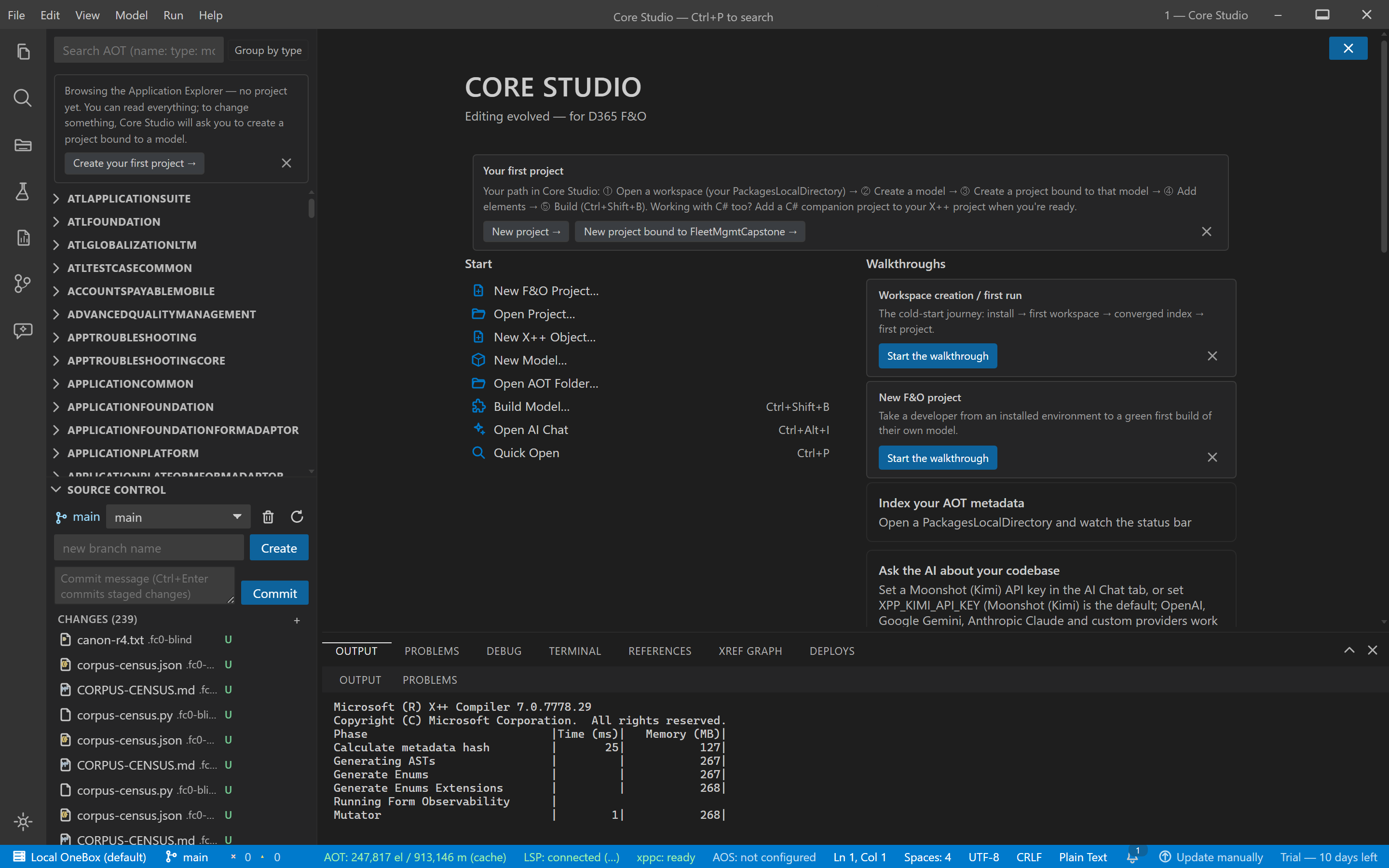
- Compiler output streams as the build runs
- The verdict line states success or the failing step explicitly
Core Studio 2.0.0 (signed) · estate rig · captured 2026-09-04
Stages and dependencies.
| Capability | Evidence | Scope |
|---|---|---|
| Model build | xppc invocation — Build Model walkthrough | Requires the D365 F&O VM toolchain |
| Database synchronization | Deploy pipeline walkthrough | Runs against the configured environment |
| Deployable package | Package walkthrough | Documented package structure; validation runs through Microsoft's tooling |
| CI pipeline artifacts | CI scaffolding walkthrough | Generated Azure DevOps YAML for your agents |
Logs and recovery
Every stage writes reviewable logs; a failed stage stops the pipeline and names the reason.
Headless commands
Build and package stages run headless for CI agents; generated pipelines call the same commands.
Release responsibility
Release execution and rollback stay in your Azure DevOps pipeline; Core produces the artifacts and the history.
Known Limitations
- Build, database sync, and packaging require the D365 F&O VM toolchain (xppc); off-VM, those commands report a clear unavailable state.
- Topology coverage — local editing, OneBox, UDE, CI — is documented per action in the walkthroughs linked above.